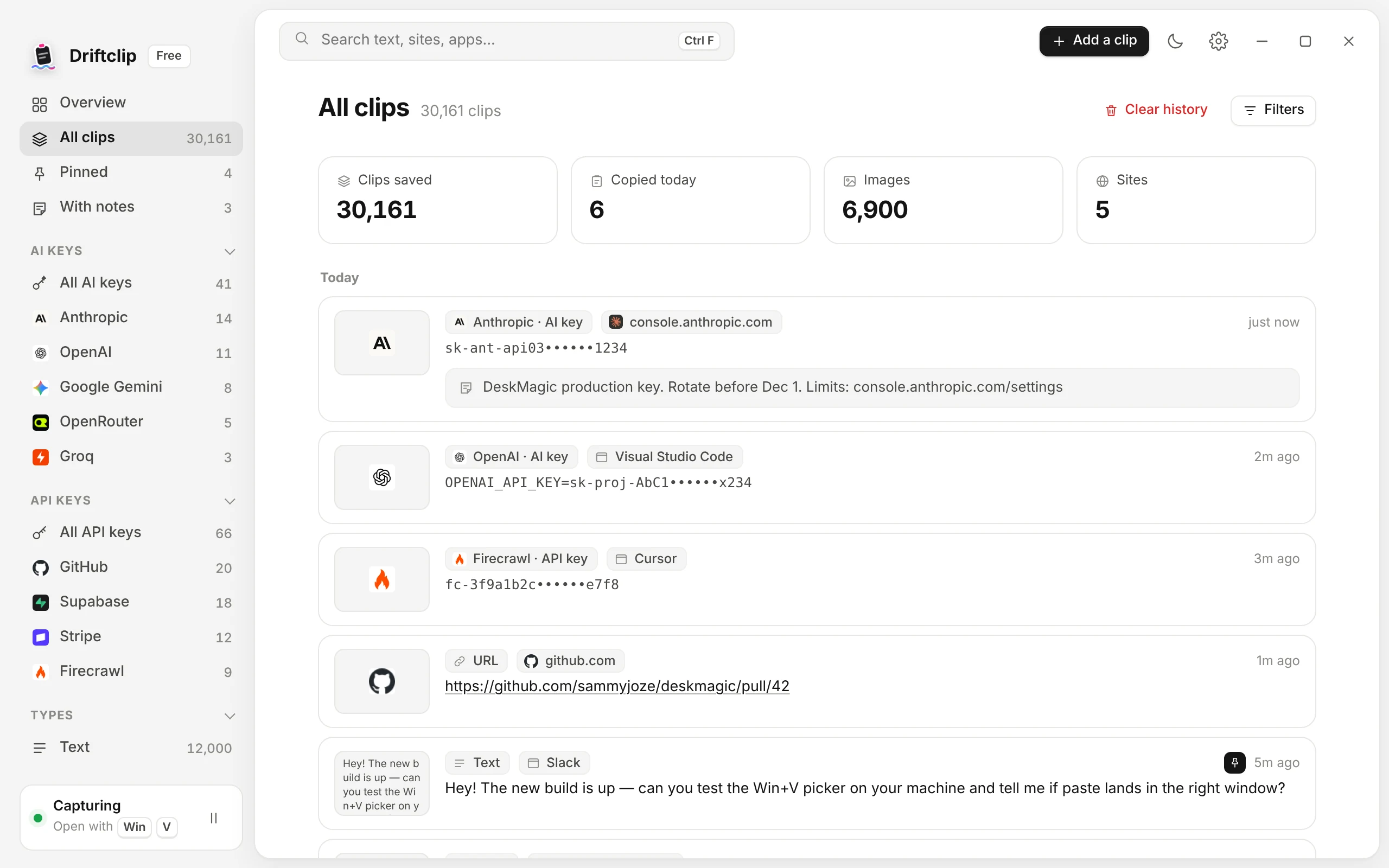
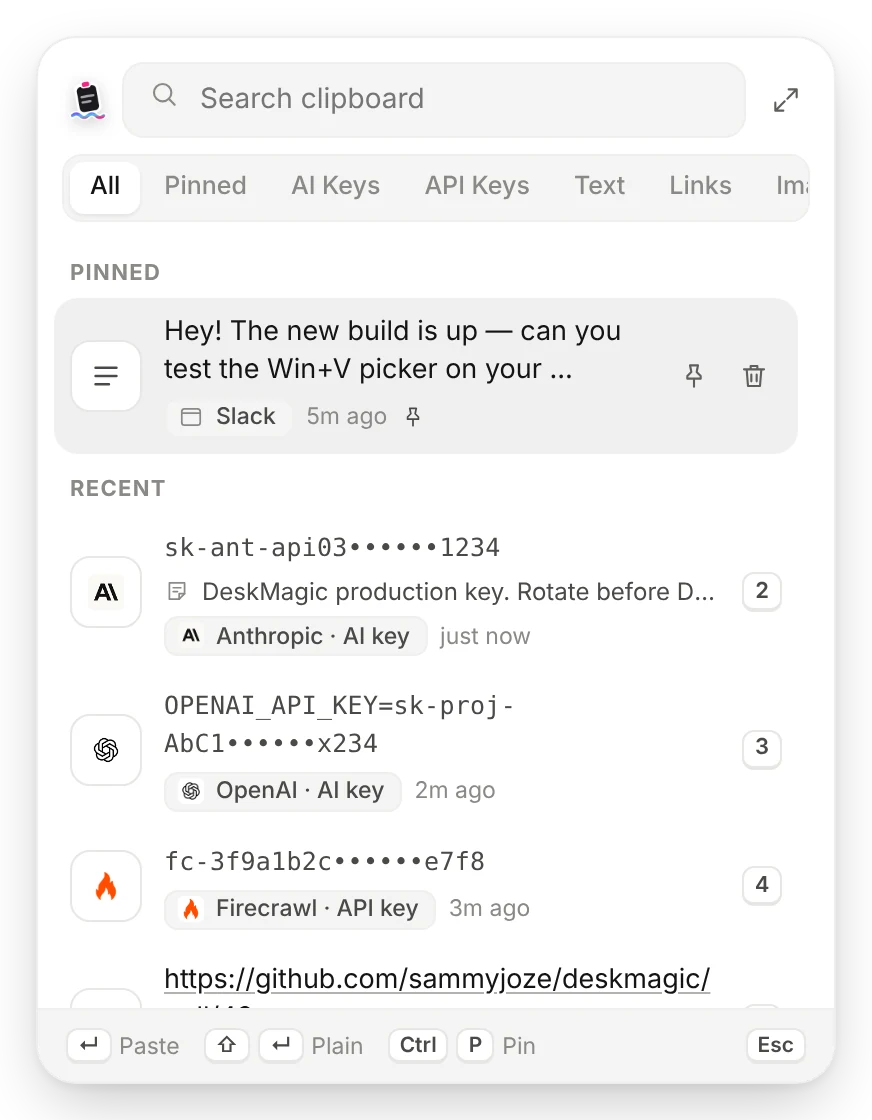
Every copy you make, kept forever on your PC: text, links, screenshots, files and API keys. Press Win V, type a word, and paste it right back where you were.
Driftclip keeps everything you copy: text, links, screenshots, files and API keys. Press Win V, type a word, and paste it back in a second.
Driftclip replaces the Windows clipboard with one that never forgets. Search years of copies, keys sorted by platform, notes on anything, and paste in a second.
A history you can actually search, a picker that's always one shortcut away, and settings that let you decide what gets kept.

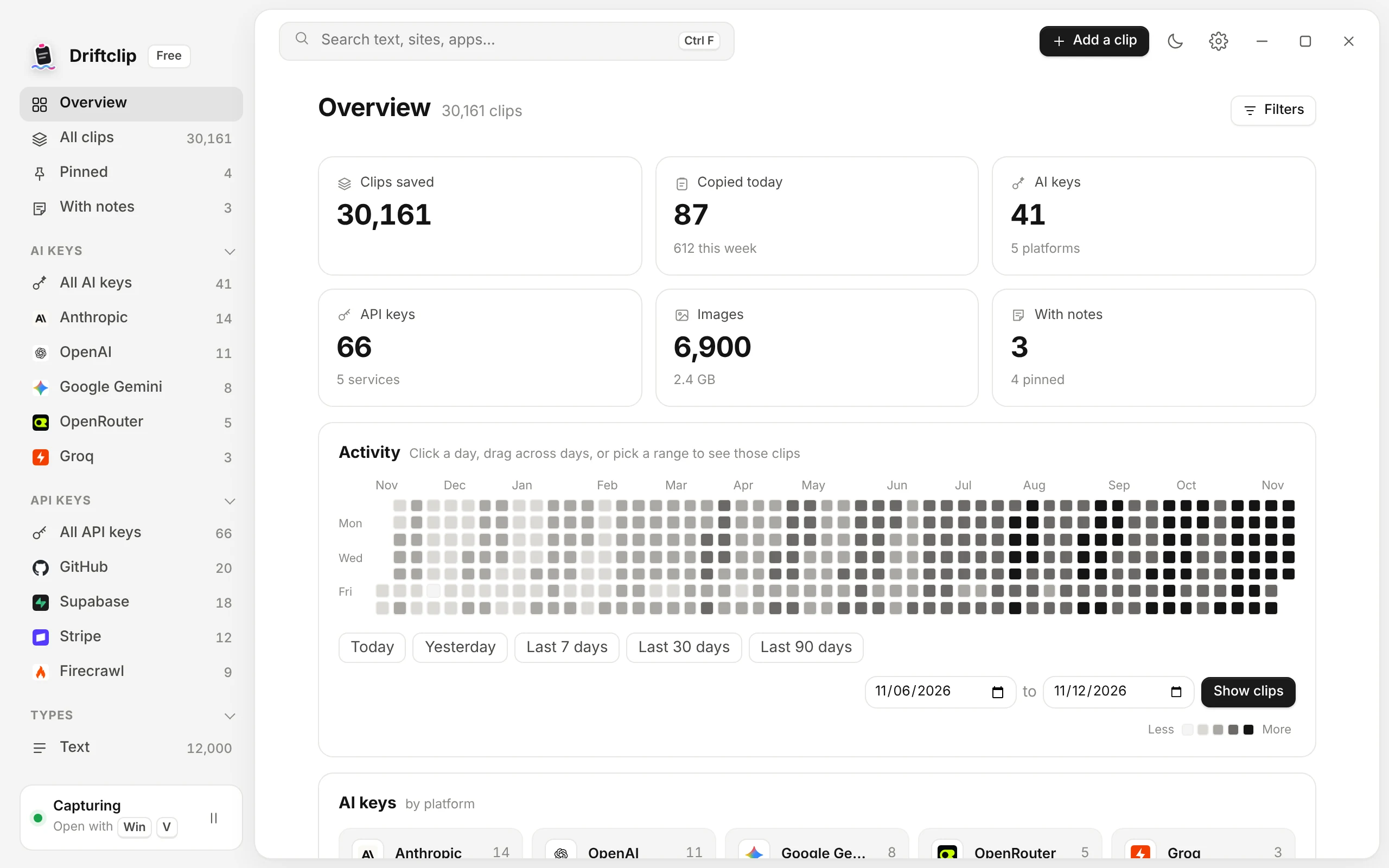
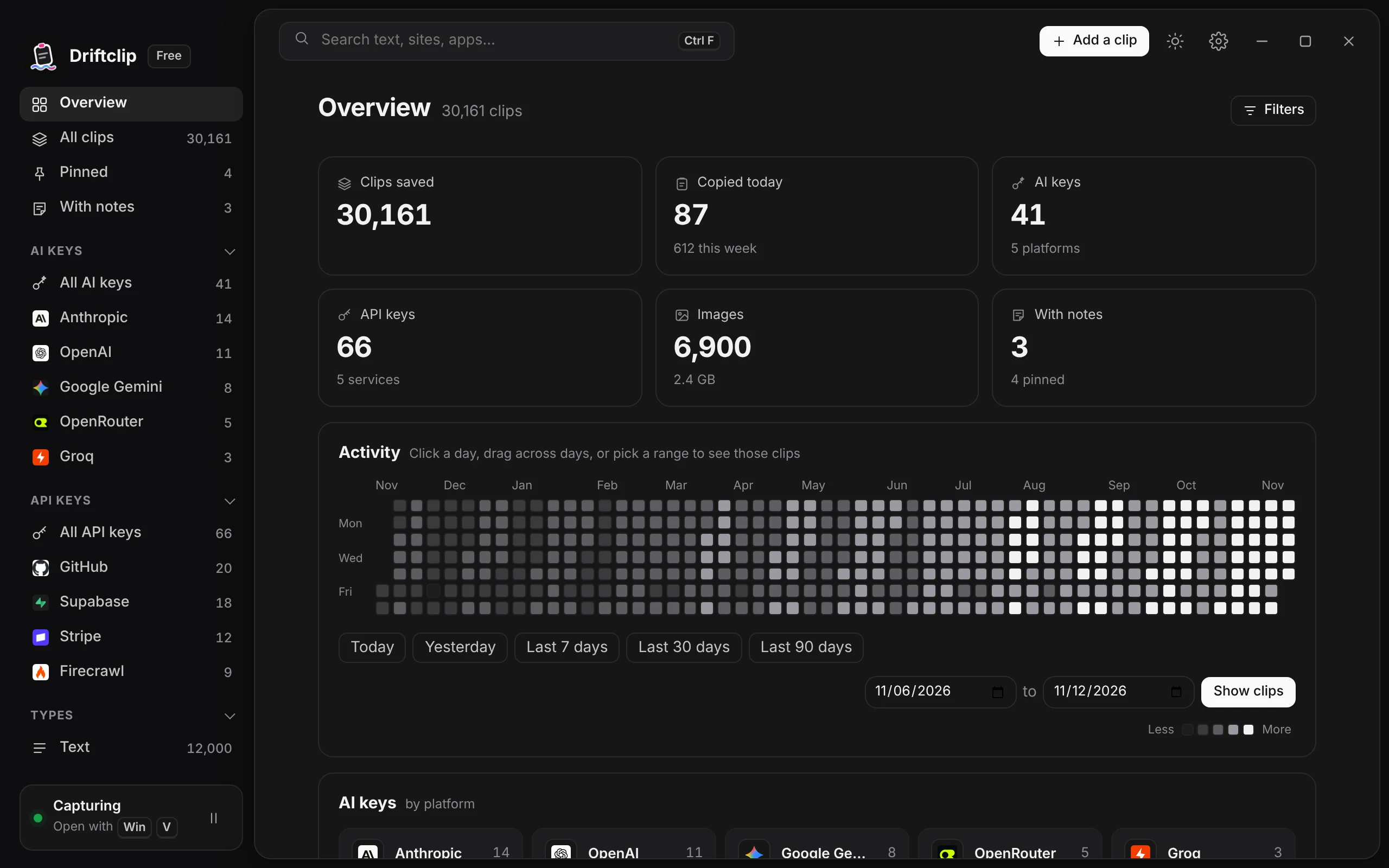
Windows keeps your last 25 copies and wipes them on restart. Driftclip keeps all of them.
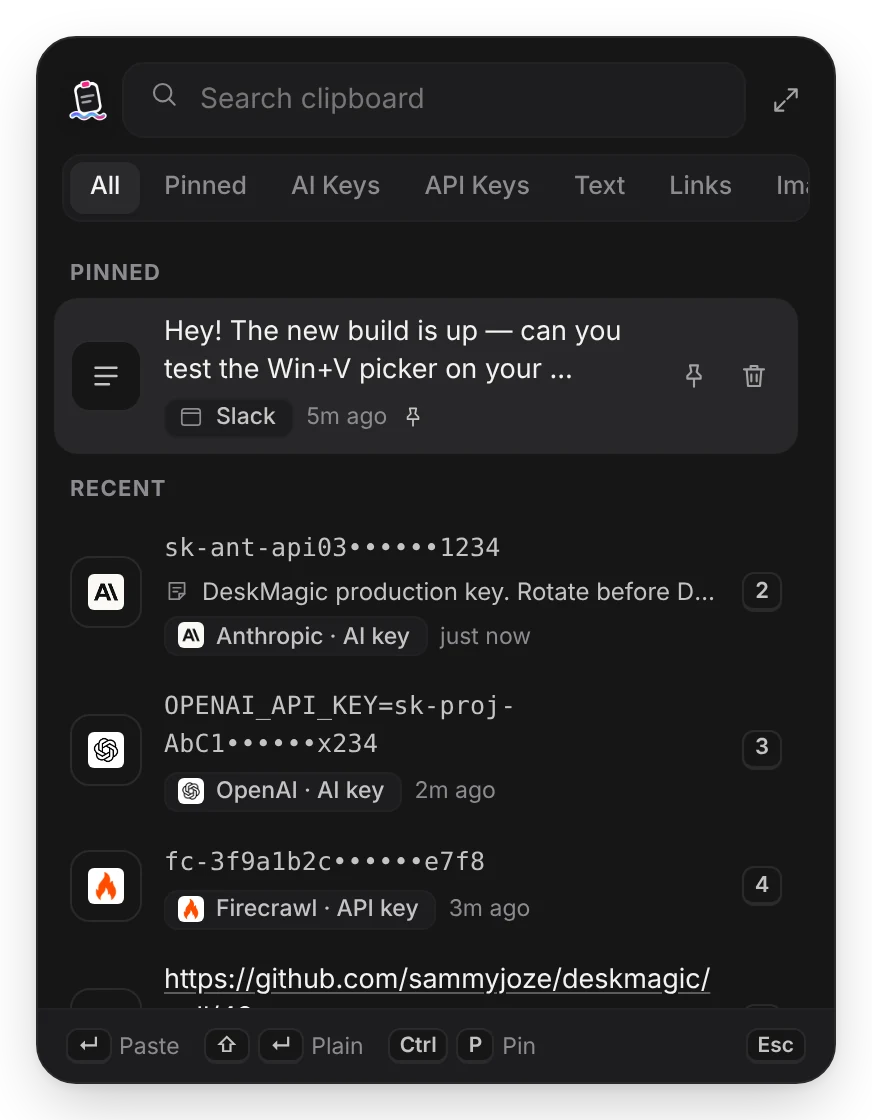
Copy a key and Driftclip knows whose it is.
sk-ant-api03••••••1234Anthropic · AI keysk-proj-AbC1••••••x234OpenAI · AI keysbp_9f2c••••••a71eSupabase · API keyRemember what a clip is for. Search by the note.
Same shortcut you already know. Pick a clip and it pastes straight into the app you were in.
Screenshots, copied pictures and Explorer file copies, with rich text formatting kept.
Every clip remembers the app and the website it was copied from. Filter by either.
Detected and grouped for you, so “that link from Tuesday” is two clicks away.
Every copy since you installed it, searchable in milliseconds and still there after a restart.
Move everything to a new PC, or export your text clips whenever you like.
Copies from password managers are recorded but masked, and never shown in full until you paste them. Pause capture any time from the tray.
Driftclip quietly keeps every copy from the tray: no polling, no lag, nothing to set up.
The picker opens right where you're working. Type a word, a site, an app or a note to find it.
It pastes straight into the app you were in. Shift+Enter pastes it as plain text.
Coming from another clipboard manager? Driftclip finds it on your PC and imports every clip, with its dates, apps and sites. Duplicates are merged, and your old app is never touched.
A clipboard holds passwords, keys and private messages. Driftclip treats them that way.
No account, no cloud, no tracking. Your history is a file in your own AppData folder.
Copies from password managers and API keys are masked in the list until you choose to show them.
Pause anytime, never record chosen apps, auto-delete old clips, and back up or export whenever you like.
The whole clipboard is free with no limits. Pro adds the power tools, for one payment, yours for life.
It takes over the Win+V shortcut, so the same keys open Driftclip instead. Normal Ctrl+C and Ctrl+V work exactly as before. Prefer Ctrl+Shift+V? Turn it on in Settings.
No. Everything is stored locally on your computer. There's no account and nothing is sent to a server.
As much as you want. The default limit is generous, and you can raise it, auto-delete old clips, or keep everything forever. Pinned clips are never deleted.
Yes, with Driftclip Pro. It spots them on your PC and imports your whole history in a click, including images and dates from Clip Diary.
Notes, filters, importing from other clipboard managers, backup and export, plus phone sync when it arrives. It's $19 once, works on 3 PCs, and includes every future update. No subscription.
After checkout you get a license key by email. Open Driftclip, go to Settings, Driftclip Pro, paste the key and click Activate. You can move it to another PC any time.
An Android app with end-to-end encrypted sync between your PC and phone is on the way.